In the B2B world, the promise of seamless data flow and interconnected systems offered by enterprise integration playbooks holds significant appeal. A well-defined playbook can streamline operations, improve decision-making, and unlock new revenue streams. However, the path to successful integration is often paved with misconceptions. Let's address the common myths and offer a practical guide for building effective integration strategies.
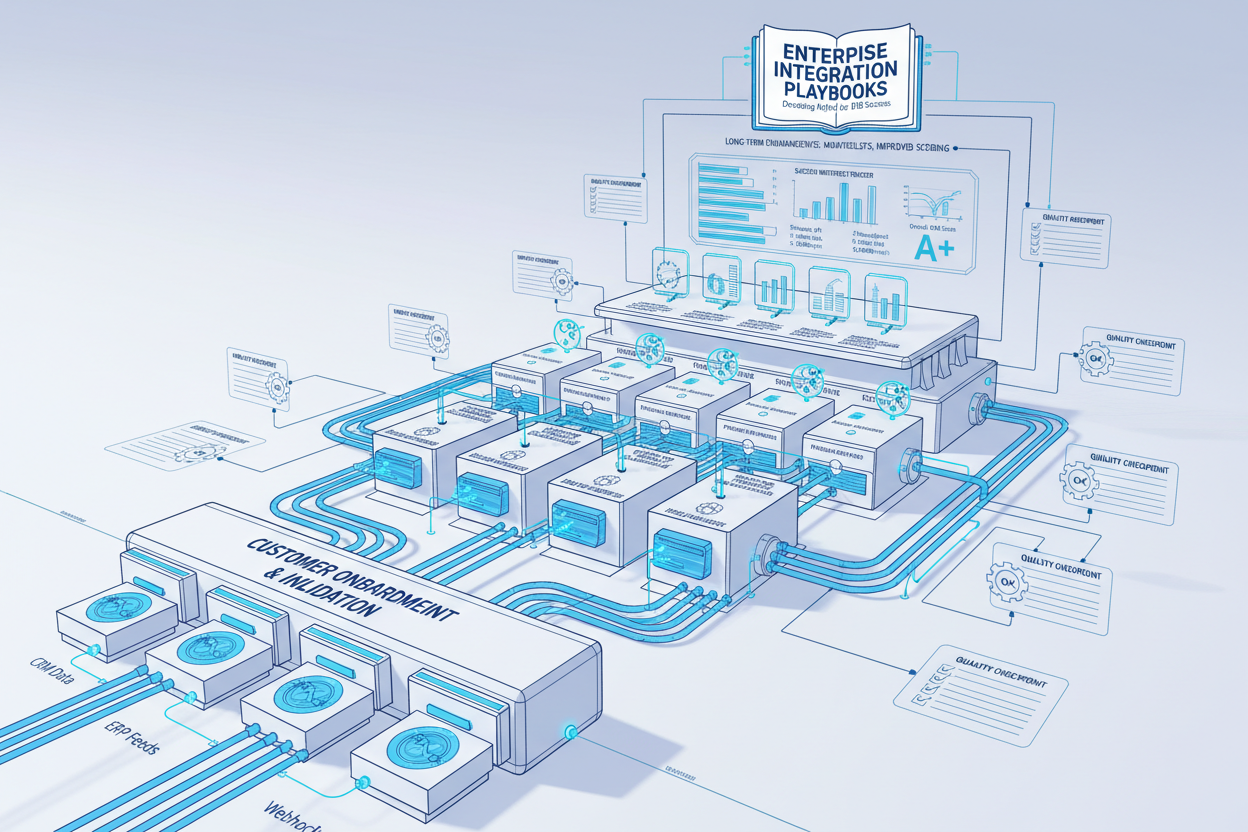
The False Dichotomy: Bespoke vs. Standardized Integration
Many believe that enterprise integration requires a binary choice: either a fully custom-built solution or a completely standardized platform. The reality is far more nuanced. Most successful integrations involve a hybrid approach, combining standardized components with custom hooks to meet specific business needs. Think of it as building a house—you use standard materials like drywall and lumber, but the design and layout are tailored to your family's needs.
Problem Statement: Identifying Integration Bottlenecks
Before diving into playbooks, you need to pinpoint the pain points. A common scenario involves a B2B SaaS company struggling to onboard new clients efficiently. Their sales team promises seamless integration, but the engineering team scrambles to build custom connectors for each client’s legacy systems. This leads to delayed deployments, frustrated clients, and a drain on engineering resources.
The core problem: a lack of a standardized integration approach. Each integration becomes a one-off project, hindering scalability and increasing operational costs. This situation perfectly illustrates the necessity for a well-defined enterprise integration playbook.
Checklist: Problem Identification for Integration Bottlenecks
- Identify Data Silos: List all systems holding critical business data.
- Map Data Flows: Document how data currently moves between systems.
- Quantify Integration Costs: Calculate the time and resources spent on each integration project.
- Assess Integration Complexity: Rate the difficulty of integrating each system based on its architecture and APIs.
- Gather Stakeholder Feedback: Interview business users to understand their pain points related to data access and integration.
Data Inputs: Gathering the Necessary Information
The foundation of any playbook is accurate and comprehensive data. I always start by mapping out data sources, data formats, and the dependencies between systems. Think of it as creating an inventory of your digital assets. For our B2B SaaS company, this includes data from their CRM, billing system, customer support platform, and various client systems. We need to understand the structure of this information to orchestrate it.
Common Data Input Considerations
- Data Formats: Identify the formats used by various systems (e.g., JSON, XML, CSV).
- API Documentation: Gather API documentation for all systems involved in the integration.
- Data Governance Policies: Understand the existing data governance policies and compliance requirements.
- Security Considerations: Assess the security implications of data transfer and storage.
- Scalability Requirements: Project future data volumes and integration needs.
Signal Analysis: Finding Valuable Patterns
Once the data inputs are gathered, the next step is to analyze them to identify patterns and opportunities for optimization. In the B2B SaaS context, this involves looking for common integration patterns across different clients. For example, many clients might use similar CRM systems or accounting software. Identifying these commonalities allows you to build reusable integration components.
Steps to Analyze Data Integration Signals
- Identify Common Integration Points: Determine frequently integrated systems or endpoints.
- Analyze Data Transformation Requirements: Understand how data needs to be transformed between different systems.
- Detect Recurring Errors: Identify common integration errors and their root causes.
- Measure Integration Latency: Track the time it takes for data to flow between systems.
- Evaluate Integration Performance: Assess the overall performance of existing integrations and identify areas for improvement.
Scoring Model: Prioritizing Integration Efforts
Not all integrations are created equal. A scoring model helps prioritize integration efforts based on factors such as business impact, complexity, and cost. For the B2B SaaS company, I'd suggest a simple scoring model, granting points for integration features that allow: faster client onboarding, reduced support tickets, or increased revenue. Resources can then be focused where they will create the highest payout.
Scoring Model Elements
- Business Impact (Weight: 40%): How significantly will the integration improve business outcomes?
- Technical Complexity (Weight: 30%): How difficult is the integration to implement and maintain?
- Cost (Weight: 20%): What is the estimated cost of developing and maintaining the integration?
- Risk (Weight: 10%): What risks are associated with the integration (e.g., security vulnerabilities, data breaches)?
A higher score signifies a more urgent effort.
You might also want to read more about product architecture for similar business value patterns.
Integration Guide: Blueprint for Implementation
The integration guide is the heart of the playbook. It outlines the steps for implementing a specific integration scenario, from initial setup to ongoing maintenance. This guide should be clear, concise, and tailored to the technical skillset of the team. For the B2B SaaS company, the guide would include step-by-step instructions for configuring common CRM integrations, setting up data transformations, and handling errors.
Integration Guide Structure
- Introduction: Overview of the integration scenario and its business value.
- Prerequisites: List of required software, accounts, and permissions.
- Configuration Steps: Detailed instructions for configuring the integration.
- Data Transformation: Explanation of data mapping and transformation rules.
- Error Handling: Procedures for handling common integration errors.
- Testing: Steps for testing the integration and verifying its functionality.
- Deployment: Instructions for deploying the integration to production.
- Maintenance: Guidelines for ongoing maintenance and troubleshooting.
Anti-Patterns in Integration
- Point-to-Point Integrations: Creating direct connections between systems without a central integration layer. This leads to a tangled web of dependencies and makes it difficult to manage and scale the integration. Instead, consider using an integration platform to mediate communication between systems.
- Ignoring Error Handling: Failing to implement robust error handling mechanisms. Without proper error handling, integrations can fail silently, leading to data inconsistencies and business disruptions. Implement comprehensive error logging, alerting, and retry mechanisms.
- Lack of Documentation: Neglecting to document integration processes and configurations. This makes it difficult for others to understand and maintain the integration. Create detailed documentation, including diagrams, configuration instructions, and troubleshooting guides.
- Overlooking Security: Ignoring security considerations during the integration process. This can expose sensitive data to unauthorized access and create security vulnerabilities. Implement strong authentication, authorization, and encryption mechanisms.
Don't neglect application architecture consulting to avoid these pitfalls.
Monitoring Plan: Ensuring Long-Term Integration Health
An integration is not a one-time project, it's a living system that requires continuous monitoring and maintenance. The monitoring plan outlines the metrics to track, the tools to use, and the procedures for responding to alerts. For the B2B SaaS company, it involves monitoring data latency, error rates, uptime, and resource utilization.
Key Monitoring Metrics
- Data Latency: The time it takes for data to flow between systems.
- Error Rate: The percentage of integration requests that result in errors.
- Uptime: The percentage of time that the integration is operational.
- Resource Utilization: The CPU, memory, and network resources consumed by the integration.
Example: Streamlining Client Onboarding
Consider a scenario where a B2B SaaS company uses CRM and billing systems. New clients are onboarded by manually transferring data between these systems, leading to delays and errors. By implementing an integration playbook, the company automates the data transfer, reducing onboarding time from days to hours. This not only improves client satisfaction but also frees up the sales and support teams to focus on other activities. I once assisted a firm in the insurance industry with this issue where operational costs decreased by 23%.
Wrap-Up: Embracing Practical Integration Strategies
Enterprise integration playbooks are powerful tools for achieving seamless data flow and interconnected systems. By debunking common myths and following a structured approach, B2B organizations can build effective integration strategies that drive business value. This involves understanding the problem, gathering the right data, analyzing patterns, prioritizing efforts, creating detailed integration guides, and implementing robust monitoring plans. Think of CI/CD integration playbooks as well for streamlined deployment.
Ready to build integration playbooks that drive tangible results? Contact us today for a consultation on enterprise integration solutions.
Related reads
Concrete Steps for Monitoring Implementation
- Define Thresholds: Establish acceptable ranges for each metric. What data latency is considered too high? What error rate triggers an alert?
- Choose Monitoring Tools: Select tools that provide real-time visibility into the integration's performance. This could involve using existing system monitoring tools or specialized integration monitoring solutions. For proof of concept, I've used open-source tools such as Prometheus and Grafana.
- Set Up Alerts: Configure alerts to notify the team when metrics exceed defined thresholds. The notifications must be routed to the relevant team or individual who can resolve the issue.
- Create Dashboards: Develop dashboards that provide a concise overview of the integration's health. Dashboards are essential for quickly identifying and addressing issues.
- Automated Actions: Automate restart procedures using health checks if the integration fails.
Checklist: Monitoring Plan Implementation
- Defined key monitoring metrics.
- Established acceptable thresholds for each metric.
- Selected monitoring tools.
- Configured alerts.
- Created monitoring dashboards.
- Documented monitoring procedures.
- Scheduled regular monitoring reviews.
- Automated actions for fault handling.
Refining the Scoring Model: Addressing Edge Cases
The scoring model is a valuable tool, but it's crucial to recognize its limitations and refine it accordingly. Real-world integration projects often present edge cases that require adjustments to the model or even a manual override.
For example, consider an integration that has a low business impact score but is necessary for regulatory compliance. Although its business value may be limited, the integration is critical to avoid legal penalties.
Enhancing the Integration Guide with Security Considerations
Security must be a first-class citizen in the integration process. The integration guide should include specific security considerations and best practices to protect sensitive data and prevent security vulnerabilities. For example, never include credentials in code or configuration files.
Example: Securing API Keys To illustrate, consider integrating a payment gateway. The integration guide should clearly state: “Never store API keys directly in your application code or version control system. Instead, use environment variables or a secure configuration management tool to store and manage API keys.”
Relevant offers
If this article matches your task, here are two offers you can use to move from insight to implementation without extra discovery.