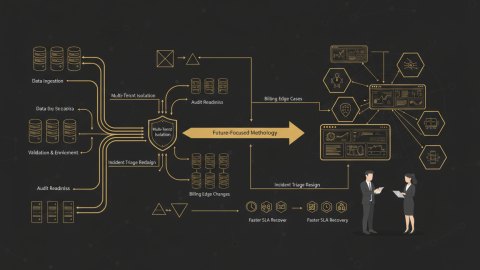
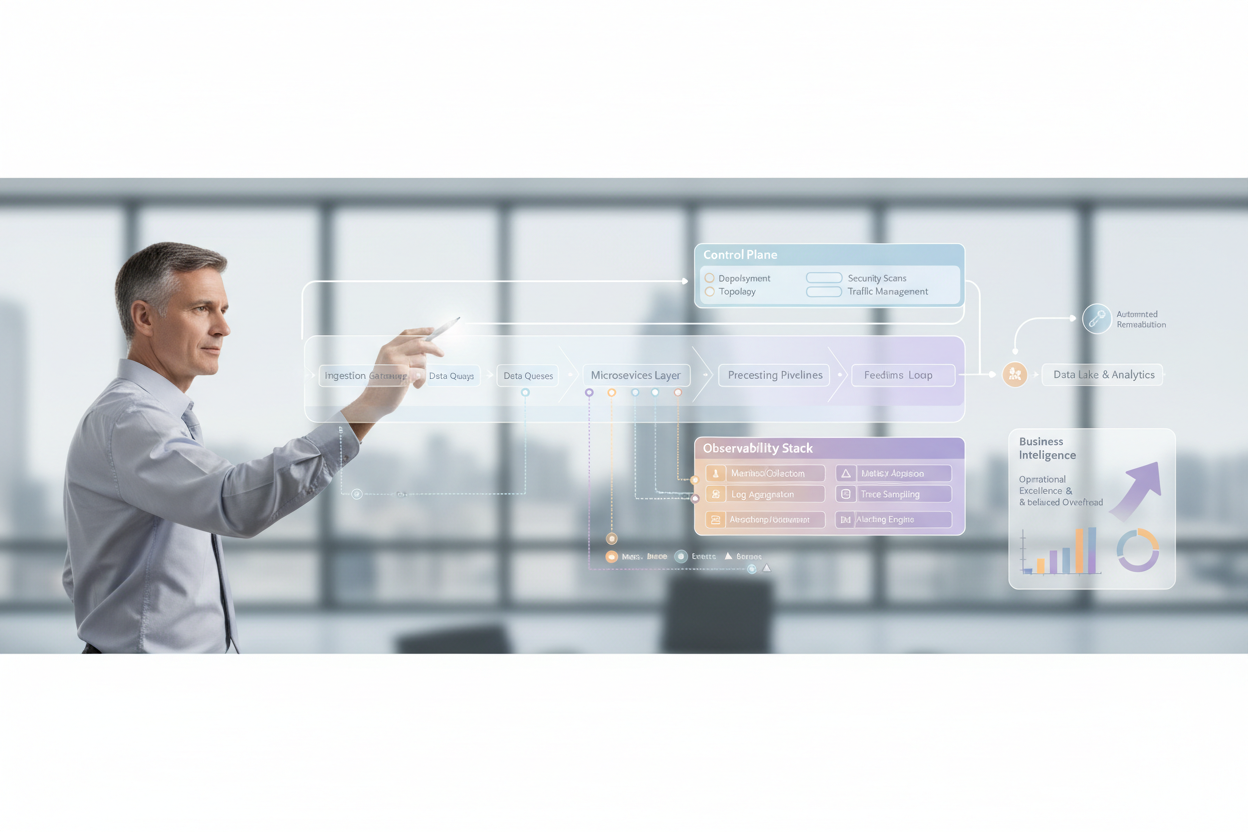
Operational excellence in a complex B2B environment isn't a happy accident; it's the result of deliberate architectural and operational choices. At its core lies a robust strategy for observability. While traditional monitoring focuses on known failure modes, observability empowers us to understand *unforeseen* system behaviors. Metrics, in this context, become invaluable indicators across your stack. This document outlines a practical architecture strategy that emphasizes data-driven observability and its effect on operational excellence.
Failure Analysis: Identifying Symptoms Early
The first step towards operational excellence is establishing a process for promptly identifying system anomalies. This requires a shift from reactive firefighting to proactive detection. I structure my analysis around key performance indicators (KPIs) aligned with business goals, leading to a focused and effective strategy.
Symptom Checklist: Essential Indicators
Here’s a checklist of common symptoms that could signal underlying issues:
- Increased Latency: Slow response times, API delays.
- Error Rate Spikes: Elevated 500 errors, failed transactions.
- Resource Exhaustion: CPU spikes, memory leaks, disk saturation.
- Throughput Degradation: Reduced transaction processing capacity.
- Authentication failures: Increased failed login attempts.
These symptoms need to be monitored closely.
Building Effective Dashboards
Dashboards are your first line of defense. They must clearly present the KPIs. I like to categorize KPIs into groups:
- Business KPIs Revenue, user engagement, deal conversion.
- Application KPIs Response time, request volume, error rates.
- Infrastructure KPIs CPU usage, memory availability, disk I/O.
- Security KPIs Authentication failures, suspicious activity.
Clear, visual dashboards focused on these areas are essential for rapid issue identification.
Root Cause Isolation: Deep Dive into System Behavior
Once an anomaly is detected, the next step is to isolate the root cause. Correlation of metrics, logs, and traces becomes critical. Here's where a solid observability strategy truly shines.
Correlation Strategies: Connecting the Dots
Correlation is the key to effective root cause analysis. I look for relationships between different data sources:
- Metric-Log Correlation: Link metric anomalies to relevant log entries.
- Trace-Log Correlation: Use trace IDs to find log events related to a specific transaction.
- Metric-Trace Correlation: Connect aggregate metrics to individual spans within traces.
Consistent use of unique identifiers (trace IDs, correlation IDs) across all components is critical for enabling correlation.
Anti-Patterns in Root Cause Analysis
Beware of these anti-patterns:
- Ignoring Logs: Relying solely on metrics without examining detailed logs.
- Assuming Correlation: Jumping to conclusions without proper evidence.
- Lack of Traceability: Missing context about the request flow.
Geo Anomalies: Integrating Location Intelligence for Enhanced Detection
In B2B systems, user location can be a vital context for detecting anomalies. Unusual traffic from unexpected regions or suspicious access patterns can indicate security threats or infrastructure issues. Consider integrating Geo-Intelligence to enrich observability data. For example, an unexpected surge of failed login attempts originating from a specific country might suggest a brute-force attack. This type of proactive monitoring is discussed in more detail at Event-Driven Geo-Intelligence: Separating Myths from Reality.
Implementing Geo-Enriched Monitoring
Here's a practical approach to integrate Geo-Intelligence:
- Enrich Logs: Integrate IP geolocation data into your logs to determine the geographical origin of requests or errors.
- Create Geo-Specific Dashboards: Visualize traffic patterns and error rates by region.
- Set Up Alerts: Configure alerts for unusual activity from specific countries or regions.
Patch Implementation: Rapid Response and Rollback Strategies
Once the root cause is identified, the next step is to implement a fix. This requires a well-defined process for code deployment and rollback. I focus on minimizing the impact of changes and ensuring rapid recovery in case of errors.
Implementing a streamlined CI/CD pipeline
A well-architected CI/CD pipeline is critical for fast and reliable patch deployments. This is discussed further in our article on Architecting CI/CD Pipelines for High-Load Systems: A Field Guide
Checklist for Safe Deployments
Here’s a checklist for ensuring safe and controlled deployments:
- Automated Testing: Rigorous unit, integration and end-to-end tests.
- Blue/Green Deployments: Deploy changes to a separate environment.
- Canary Releases: Roll out changes to a small subset of users.
- Feature Flags Enable/disable features without code changes.
- Automated Rollback: Ability to automatically revert to a previous version.
Mini-Case: Dealing with Latency Spike During Peak Hours
Let's consider a scenario: A latency spike is detected during peak hours. Geo-enriched logs show increased traffic from a specific region with known network constraints. The initial suspect is a DDoS attack. After further examining traces, it becomes clear that a specific database query is slowing down due to the increased data volume from that region. The patch involves:
- Optimizing the database query: Indexing and query optimization.
- Caching strategy: Implementing in-memory caching for frequently accessed data.
- Rate limiting: Throttling requests from the affected region.
The changes are first deployed to a canary environment. After verifying the fix, the optimized query and caching layer are gradually rolled out using feature flags.
Safeguards: Preventing Future Incidents
After resolving an incident, it's critical to implement safeguards to prevent similar issues from recurring. This involves updating monitoring rules, enhancing testing procedures, and improving the overall system architecture.
Post-Incident Review and Recommendations
Conduct thorough post-incident reviews. Identify:
- What happened: Timeline of events.
- Why it happened: Root cause analysis.
- What we did: Actions taken to resolve the incident.
- What we learned: Lessons learned and areas for improvement.
- What we'll do differently: Action items to prevent recurrence.
These reviews should be blameless and focused on continuous improvement.
Updating Monitoring Rules and Alerts
Use the insights from post-incident reviews to enhance monitoring and alerting. Add new metrics, refine thresholds, and improve correlation rules. Ensure alerts are actionable and routed to the appropriate teams.
Optimizing Data Placement
To maintain operational excellence, consider the physical location of your data. In the example above, if the service frequently accesses data from a certain region, consider deploying data infrastructure closer to those users. This may eliminate the risk of the latency/peak-hour-spike issue. See Observability & operational excellence: myths, metrics, & Geo-Intelligence for a more thorough discussion of this strategy.
Conclusion: Continuous Improvement and the Quest for Excellence
Metrics-driven observability, combined with strategic use of location intelligence, forms the cornerstone of operational excellence. While the initial investment may seem substantial, the long-term benefits – reduced downtime, faster incident resolution, and improved customer satisfaction – significantly outweigh the costs. It's a journey of continuous improvement, requiring a commitment to data-driven decision-making, proactive monitoring, and robust deployment practices. By embracing observability, you position your organization for sustained success in the dynamic landscape of B2B software. Operational Excellence is within reach -- let's explore how I can help. Contact me to learn more about my personal system architecture consulting services.
Related reads
Real-World Example: Database Connection Pooling
Let's say a post-incident review reveals that a sudden spike in database connections exhausted the available pool, leading to application slowdowns and errors. The recommendations might include:
- Increasing the maximum pool size: Adjust the configuration to allow more concurrent connections.
- Implementing connection timeouts: Prevent idle connections from holding resources indefinitely.
- Optimizing query execution: Improve database query performance to reduce connection duration.
- Adding monitoring for connection pool usage: Track the number of active and idle connections to proactively detect resource exhaustion.
After implementing these changes, create a dashboard specifically to visualize database connection pool metrics. This should include:
- The number of active connections.
- The number of idle connections.
- The maximum pool size.
- The average connection duration.
- The number of refused connections (if any).
Set alerts to trigger when the number of active connections approaches the maximum pool size or when the number of refused connections exceeds a threshold. I would also create alerts for unexpectedly long connection durations.
Advanced Observability Techniques
Beyond the basics, several advanced techniques can significantly enhance your observability strategy.
Synthetic Monitoring
Synthetic monitoring involves simulating user interactions to proactively identify issues before they impact real users. This can be especially useful for critical B2B workflows, such as order placement or payment processing. I am talking about actively probing your system to ensure availability.
Here's an example of how to implement synthetic monitoring:
- Define critical transactions: Identify the most important workflows in your application.
- Create synthetic tests: Develop automated scripts that simulate user interactions for these workflows.
- Schedule tests: Run the tests periodically from different geographic locations.
- Monitor results: Track the performance and availability of the simulated transactions.
- Set up alerts: Configure alerts to notify you of any failures or performance degradations.
For instance, I once worked with a logistics company that used synthetic monitoring to simulate package tracking. The tests were run every 15 minutes from multiple locations, and alerts were triggered if the tracking information was not updated within a specified time. This allowed them to proactively identify connectivity issues with their shipping partners before customers were affected.
Service Mesh Integration
In microservices architectures, a service mesh can provide built-in observability capabilities. A service mesh automatically instruments network traffic between services, providing detailed metrics, logs, and traces without requiring code changes.
The benefits of using a service mesh for observability include:
- Automatic instrumentation: Eliminates the need for manual instrumentation, reducing developer overhead.
- Centralized data collection: Aggregates metrics, logs, and traces from all services in the mesh.
- Enhanced security: Provides features like mutual TLS authentication and authorization.
- Traffic management: Enables advanced traffic management techniques like canary releases and A/B testing.
When properly configured, a service mesh offers comprehensive visibility into the behavior of your microservices, making it easier to identify and resolve issues. I recommend gradually adopting a service mesh and focusing on the services with the highest criticality or complexity.
Chaos Engineering
Chaos engineering involves intentionally introducing failures into your system to test its resilience and identify weaknesses. While this may seem counterintuitive, it can be a powerful way to improve the robustness of your architecture.
The key principles of chaos engineering include:
- Define a steady state: Establish a baseline for normal system behavior.
- Form a hypothesis: Predict how the system will respond to a specific type of failure.
- Introduce a failure: Inject a controlled failure into the system.
- Observe the results: Monitor the system's behavior to see if it matches your hypothesis.
- Automate experiments: Run experiments regularly to continuously improve resilience.
For instance, you could simulate a database outage or a network partition to see how your application responds. By proactively identifying vulnerabilities, you can implement safeguards and improve your recovery procedures. I would start with small-scale experiments and gradually increase the scope and intensity of the failures.
Anti-Pattern: Alert Fatigue
One common anti-pattern is alert fatigue, which occurs when engineers are overwhelmed with a high volume of low-priority or irrelevant alerts. This can lead to them ignoring important alerts, resulting in missed incidents and prolonged downtime.
To avoid alert fatigue:
- Focus on actionable alerts: Ensure that each alert provides enough information to take action.
- Use appropriate severity levels: Assign severity levels (e.g., critical, warning, informational) based on the impact of the issue.
- Suppress duplicate alerts: Prevent the same alert from being triggered multiple times for the same issue.
- Implement alert grouping: Group related alerts together to reduce the overall number of alerts.
- Regularly review and refine alerts: Continuously evaluate the effectiveness of your alerts and make adjustments as needed.
A well-tuned alerting system is essential for effective observability. I prioritize quality over quantity and focus on creating alerts that are both informative and actionable.
Relevant offers
If this article matches your task, here are two offers you can use to move from insight to implementation without extra discovery.