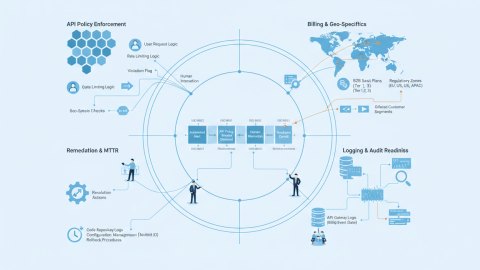
The shift from legacy infrastructure to cloud environments is frequently driven by scalability, cost reduction, and access to modern services -- but the path is paved with compliance pitfalls. This article outlines a data engineering strategy that prioritizes compliance throughout the migration process, ensuring that sensitive data remains protected and regulatory requirements are met. We focus on practical steps, checklists, and antipatterns to avoid, all viewed through the lens of a data engineer.

The Imperative of Compliance-Driven Migration
Cloud migration is not just a lift-and-shift operation. It involves re-architecting systems, adapting to new security models, and implementing new data governance policies. Neglecting compliance can lead to severe penalties, reputational harm, and legal liabilities. Therefore, a compliance-first approach is not merely advisable; it's essential.
Regulatory Needs: Identifying the Landscape
The first step is to comprehensively map all applicable regulatory requirements. This involves understanding which regulations govern the data processed by the legacy system and how these regulations translate to the cloud environment. Consider these questions:
- Which jurisdictions does the data originate from, pass through, and reside in?
- What data residency requirements exist (e.g., GDPR, CCPA)?
- What industry-specific regulations apply (e.g., HIPAA for healthcare, PCI DSS for payment card data)?
- Are there specific consent requirements for data processing?
Checklist: Regulatory Requirements Mapping
- Data Inventory: Document all data types processed by the legacy system.
- Jurisdictional Analysis: Identify all relevant jurisdictions and their associated regulations.
- Regulatory Framework Mapping: Create a matrix mapping data types to specific regulatory requirements.
- Gap Analysis: Compare current compliance posture to required compliance posture in the cloud environment.
- Remediation Plan: Develop a detailed plan to address identified gaps.
Antipatterns: Regulatory Compliance
- Assuming "Lift and Shift" Compliance: Simply moving the system to the cloud without addressing compliance issues is a recipe for disaster.
- Ignoring Data Residency Requirements: Failing to ensure data resides in the required geographic locations violates regulations.
- Relying on Generic Cloud Provider Compliance: While cloud providers offer compliance certifications, they do not absolve the customer of their compliance responsibilities.
Geo-Validation Rules: Enforcing Data Sovereignty
Geo-validation rules are critical for enforcing data sovereignty and ensuring compliance with data residency requirements. These rules define where data can be stored, processed, and accessed based on the user's location and the data's origin. Leveraging IP-intelligence early is crucial.
Implementing Geo-Validation Strategies
Geo-validation can be implemented at various layers of the cloud architecture:
- Network Level: Use network policies and firewalls to restrict traffic based on geographic location.
- Application Level: Implement geo-validation logic within the application code to enforce data residency rules.
- Data Storage Level: Utilize cloud provider features to restrict data storage to specific geographic regions.
Practical Implementation: Example Geo-Validation Check
The following is a schematic example to ensure a user accessing data from a specific country has permission, incorporating IP-intelligence:
function validateAccess(userIP, dataOriginCountry, requiredCountry) {
 // Use IP-intelligence to determine the user's location based on their IP address.
 const userLocation = resolveIPToCountry(userIP);

 // Check if the user's location matches the required country and if the origin conforms.
 if (userLocation === requiredCountry && dataOriginCountry === requiredCountry) {
 return true; // Access granted.
 }

 return false; // Access denied.
}

// Dummy resolveIPToCountry function. Replace with actual IP-intelligence service call.
function resolveIPToCountry(ip) {
 // In real implementation, use a robust IP-intelligence service.
 // This is a placeholder function that returns 'US' for all IPs for demonstration.
 return 'US';
}

const userIP = '127.0.0.1'; // Example local IP.
const dataOriginCountry = 'US';
const requiredCountry = 'US';

if (validateAccess(userIP, dataOriginCountry, requiredCountry)) {
 console.log('Access granted.');
} else {
 console.log('Access denied.');
}
In the sketch above, the placeholder function `resolveIPToCountry` should be replaced by calls to a robust IP-intelligence service. This service provides the location (country in this case) associated with the given IP address. The function validates if the `userLocation` matches the defined `requiredCountry`. This allows conditional access based on the data origin and end user.
Checklist: Geo-Validation Implementation
- IP-Intelligence Integration: Integrate a reliable IP-intelligence service to determine user location.
- Network Policies: Configure network policies to restrict traffic based on geographic location.
- Application Logic: Implement geo-validation logic within the application code.
- Data Encryption: Encrypt data at rest and in transit to protect against unauthorized access.
- Regular Audit: Conduct regular audits to ensure geo-validation rules are effective and up-to-date.
Antipatterns: Geo-Validation Rules
- Ignoring Dynamic IP Addresses: Failing to account for dynamic IP addresses can lead to inaccurate geo-validation.
- Over-Reliance on Coarse-Grained Geo-Data: Using only country-level geo-data may not be sufficient for granular data residency requirements.
- Neglecting Internal Traffic: Geo-validation should also apply to internal traffic within the cloud environment.
Logging Requirements: Establishing Audit Trails
Comprehensive logging is crucial for compliance, security, and troubleshooting. Logs provide an audit trail of all activities within the cloud environment, enabling investigation of security incidents and demonstration of regulatory compliance.
Implementing Logging Best Practices
Effective logging involves capturing detailed information about:
- User Activity: Log all user logins, logouts, and data access attempts.
- System Events: Log system startup, shutdown, and error events.
- Data Changes: Log all data modifications, including who made the change and when.
- Security Events: Log all security-related events, such as failed login attempts and suspicious activity.
Logs must be stored securely and retained for the required duration, as specified by regulatory requirements.
Checklist: Logging Implementation
- Centralized Logging: Implement a centralized logging system for collecting and managing logs from all components.
- Log Retention Policy: Define a log retention policy based on regulatory requirements and business needs.
- Log Encryption: Encrypt logs at rest and in transit to protect against unauthorized access.
- Log Monitoring: Implement real-time log monitoring to detect security incidents and anomalies.
- Regular Log Analysis: Conduct regular log analysis to identify trends and potential issues.
Antipatterns: Logging Implementation
- Insufficient Logging: Failing to log critical events hinders incident investigation and compliance audits.
- Storing Logs in Plain Text: Storing logs in plain text exposes sensitive information to unauthorized access.
- Inadequate Log Retention: Not retaining logs for the required duration violates regulatory requirements.
Audit Readiness: Preparing for Scrutiny
Audit readiness is about proactively preparing for regulatory audits and demonstrating compliance. This involves having documented policies, procedures, and controls in place, and being able to provide evidence of their effectiveness.
Preparing for Audits
Key steps in preparing for audits include:
- Documenting Policies and Procedures: Create detailed documentation of all compliance-related policies and procedures.
- Implementing Controls: Implement technical and administrative controls to enforce compliance requirements.
- Conducting Internal Audits: Perform regular internal audits to identify and address compliance gaps.
- Maintaining Audit Trails: Ensure comprehensive audit trails are available for review by auditors.
- Training Staff: Provide training to staff on compliance requirements and procedures.
Checklist: Audit Readiness
- Compliance Documentation: Verify documentation of all compliance-related policies.
- Access Control Review: Review user access controls.
- Data Encryption Validation: Ensure data at rest and transiting is encrypted.
- Incident Response Plan: Test incident response plan to make it actionable.
- Mock Audit Execution: Execute mock audit processes internally before real audits.
Antipatterns: Audit Readiness
- Lack of Documentation: Inadequate documentation makes it difficult to demonstrate compliance.
- Ignoring Audit Findings: Failing to address audit findings can lead to recurring compliance issues.
- Insufficient Staff Training: Poorly trained staff are more likely to make compliance mistakes.
Consider reviewing Implementing Zero-Trust Access with GeoIP Enrichment: A Step-by-Step Guide for additional access control considerations as they pertain to your compliance requirements.
Conclusion
Migrating legacy systems to the cloud is a complex undertaking, but a compliance-first data engineering strategy can significantly reduce the risks. By systematically addressing regulatory needs, implementing robust geo-validation rules, establishing comprehensive logging, and proactively preparing for audits, organizations can ensure a smooth and compliant cloud transition. This approach transforms compliance from a reactive afterthought into a proactive asset, enabling organizations to confidently embrace the benefits of the cloud while safeguarding their data and reputation.
Ready to see how IP-intelligence can enhance your fraud prevention and geolocation accuracy? Sign up for a free trial today.
Related reads
Incident Response Planning: Addressing Failures and Breaches
No matter how robust the security measures, incidents are inevitable. A comprehensive incident response plan is a critical component of a compliance-first migration strategy. It outlines the steps to be taken in the event of a security breach, data leak, or other compliance incident. The plan should cover identification, containment, eradication, recovery, and lessons learned.
Key Elements of an Incident Response Plan
A well-defined incident response plan provides clarity and structure when time is of the essence. The plan needs to be extensively tested and refined based on the outcomes of practice runs.
- Roles and Responsibilities: Clearly define who is responsible for each aspect of the incident response process.
- Communication Plan: Establish a communication protocol for internal and external stakeholders, including regulatory bodies.
- Incident Classification: Define categories of incidents based on severity and impact.
- Containment Strategies: Outline steps to contain the incident and prevent further damage.
- Eradication Procedures: Describe how to remove the root cause of the incident.
- Recovery Steps: Detail the process for restoring systems and data to a secure state.
- Post-Incident Analysis: Conduct a thorough analysis of the incident to identify lessons learned and improve future prevention and response efforts.
Practical Implementation: Incident Simulation Exercise
A critical, often overlooked step, is to conduct regular incident simulation exercises. These simulations test the effectiveness of the incident response plan and identify areas for improvement.
Example Scenario: A simulated data breach involving personally identifiable information (PII).
- Initiate the Incident Response Plan: The security team detects suspicious activity indicating a potential data breach. The incident response plan is activated.
- Identify and Contain the Breach: The team identifies the source of the breach (e.g., a compromised user account) and takes immediate steps to contain it, such as disabling the account and isolating affected systems.
- Assess the Impact: The team determines the scope of the breach, including the number of records affected and the types of data compromised.
- Notify Stakeholders: The legal and communications teams are notified and prepare to communicate with affected customers and regulatory authorities.
- Eradicate the Threat: The team removes the root cause of the breach, such as patching a vulnerability or implementing stronger access controls.
- Recover Systems and Data: Affected systems are restored from backups, and data is validated for integrity.
- Conduct Post-Incident Analysis: The team conducts a thorough analysis of the incident, identifying vulnerabilities and recommending improvements to security controls and the incident response plan.
Checklist: Incident Response Planning
- Define Roles and Responsibilities: Ensure clear ownership of incident response tasks.
- Establish Communication Channels: Set up secure and reliable communication channels for incident response.
- Develop Incident Classification Scheme: Categorize incidents based on severity and impact.
- Document Containment Procedures: Outline steps to contain different types of incidents.
- Create Eradication Strategies: Define methods for removing the root causes of incidents.
- Outline Recovery Steps: Describe the process for restoring systems and data.
- Establish a Post-Incident Analysis Process: Define a process for reviewing incidents and identifying lessons learned.
- Conduct Regular Drills: test the incident response plan regularly to identify gaps.
Antipatterns: Incident Response
- Lack of a Documented Plan: Responding to incidents without a documented plan leads to confusion and delays.
- Infrequent Testing: Failing to test the incident response plan regularly results in outdated processes and unprepared staff.
- Ignoring Lessons Learned: Not learning from past incidents results in repeating the same mistakes.
Data Encryption Strategies: Securing Data at Rest and in Transit
Data encryption is a cornerstone of data protection and compliance. It involves converting data into an unreadable format, making it unintelligible to unauthorized parties. Encryption should be applied to data at rest (stored data) and data in transit (data being transmitted).
Implementing Encryption Best Practices
Effective data encryption involves selecting appropriate encryption algorithms, managing encryption keys securely, and ensuring encryption is applied consistently across all systems and data stores.
- Data at Rest Encryption: Encrypting data that is stored on physical media.
- Data in Transit Encryption: Securing data during transmission over a network.
- Key Management: Managing cryptographic keys securely.
Practical Implementation: Data at Rest Encryption using Cloud Provider Services
Most cloud providers offer built-in services for encrypting data at rest, such as block storage, object storage, and databases. These services typically use industry-standard encryption algorithms and provide options for managing encryption keys.
Example: Encrypting an Amazon S3 bucket using AWS Key Management Service (KMS).
- Create a KMS Key: Create a KMS key to be used for encrypting the S3 bucket.
- Enable Encryption: Enable encryption on the S3 bucket, specifying the KMS key to use.
- Verify Encryption: Verify that all objects uploaded to the bucket are automatically encrypted using the specified KMS key.
- Key Rotation: Implement a key rotation policy to change the key periodically.
Checklist: Data Encryption Implementation
- Identify Sensitive Data: Determine which data requires encryption.
- Select Encryption Algorithms: Choose appropriate encryption algorithms based on security requirements and regulatory standards.
- Implement Key Management: Establish a secure key management system for generating, storing, and rotating encryption keys.
- Enable Encryption at Rest: Encrypt data stored on disk, databases, and other storage systems.
- Enable Encryption in Transit: Use HTTPS and other secure protocols to encrypt data transmitted over networks.
- Regularly Review: Regularly review encryption practices
Antipatterns: Data Encryption
- Using Weak Encryption Algorithms: Utilizing outdated or weak encryption algorithms compromises data security.
- Storing Encryption Keys with Data: Storing encryption keys in the same location as the encrypted data negates the benefits of encryption.
- Failing to Rotate Encryption Keys: Not rotating encryption keys periodically increases the risk of key compromise.
Relevant offers
If this article matches your task, here are two offers you can use to move from insight to implementation without extra discovery.