It started subtly. A few users reported issues with premium features not unlocking after payment. Our initial assumption: user error. Happens all the time. But the frequency grew, and a pattern emerged: these users were all attempting payments during a specific window each day. That's never good.
The AI knowledge assistant platform we built relies heavily on webhooks from our payment provider. When a payment succeeds, the webhook triggers the activation of premium features. When it fails... well, until recently, nothing happened except a silent error in the logs. Now, thanks to a hastily constructed Telegram bot integration, at least a support ticket gets created in the appropriate engineering channel. See our /blog/general/modular-architecture-telegram-hr-funnel-automation-products-ai-knowledge-assistant-rollout-for-internal-teams-support-triage-decision-tree/ post about that. It was rough getting that thing stood up in an emergency.
Our SLA started to bleed. Frantic calls began. Engineering lost its collective mind. Time to roll up our sleeves and dig into the nightmare.
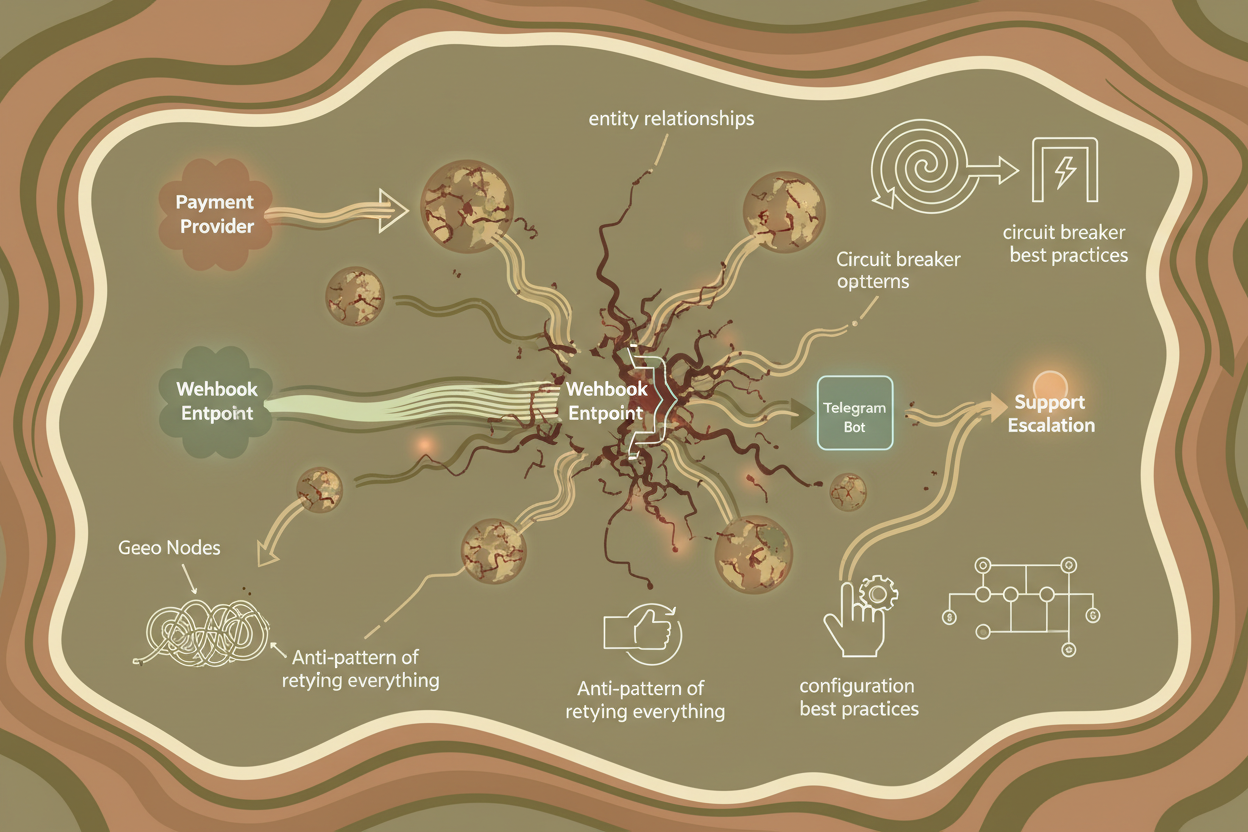
Graph-Based Modeling: Mapping the Interdependencies
Our system, while seemingly straightforward, has hidden complexities that only became apparent during this crisis. We needed a way to visualize the relationships between different components involved in the payment process. We chose a graph-based model for this.
Entities: The Core Components
First, we identified the key entities:
- User: Represents a user of the AI knowledge assistant.
- Payment Provider: The entity handling payment processing.
- Webhook Endpoint: Our API endpoint that receives payment notifications.
- Feature Flag: Determines access to premium features.
- Telegram Bot: Used for support escalation.
Relationships: Defining the Communication Flows
Then, we mapped the relationships between these entities:
- User Initiates Payment with Payment Provider
- Payment Provider Sends Webhook to Webhook Endpoint
- Webhook Endpoint Updates Feature Flag for User
- Webhook Endpoint Triggers Telegram Bot on failure.
- Telegram Bot Reports Issue to Engineering
This graph model helped us visualize the critical path and identify potential points of failure. It immediately highlighted the webhook endpoint as a single point of failure.
Entity Relationships: Unpacking the Data Structures
Next, we looked at the specific data flowing between these entities. Understanding the data structures helped us pinpoint data integrity issues.
Payment Provider Data: The Payload of Truth
The payment provider sends a JSON payload to our webhook endpoint. This payload contains crucial information about the payment: status, amount, user ID, transaction ID, etc.
{
  "status": "success",
  "amount": "9.99",
  "user_id": "user123",
  "transaction_id": "tx456"
}
Webhook Endpoint Logic: The Gatekeeper
Our webhook endpoint receives this data and performs the following actions:
- Validates the signature of the payload to ensure it's from the payment provider.
- Extracts the user ID and transaction ID.
- Updates the user's feature flag in our database.
The investigation revealed an intermittent issue with signature validation. During peak load, sometimes the validation would fail even for legitimate payloads. This meant the feature flag wasn't being updated, and the user was denied access.
Geo Nodes: Identifying Regional Issues
We added GeoIP enrichment to our logs (part of a side project, see /blog/general/experimental-observability-geoip-driven-app-monitoring-for-deep-insights/) and suddenly saw a pattern: the failing webhooks were originating from a specific geographic region. This pointed toward a potential infrastructure issue.
Possible Causes:
- Network Latency: Increased latency in that region could be causing the signature validation to fail due to timing issues.
- Load Balancer Issues: The load balancer in that region might be misconfigured or overloaded.
- Data Center Outage: A localized outage in the data center could be impacting performance.
We initially dismissed this data as coincidence, but after seeing a correlation between regional anomalies and failed webhook calls, we jumped on the network latency theory first.
Risk Propagation: Tracing the Chain of Failures
The initial webhook failure triggered a cascade of events:
- User Impact: Premium features not accessible.
- Increased Support Load: Users contacting support via the Telegram bot.
- SLA Degradation: Time to resolution exceeding acceptable limits.
- Reputation Damage: Negative reviews and user churn (eventually).
Mitigation Strategy:
- Retry Mechanism: Implement a retry mechanism for failed webhook calls. This is crucial for handling transient errors.
- Circuit Breaker Pattern: If retries fail consistently, open a circuit breaker to prevent overwhelming the system. This prevents further cascading failures.
- Fallback Mechanism: Provide a manual way for users to activate premium features if the automated process fails. This reduces support load and minimizes user impact.
Visualization: Building a Real-Time Dashboard
To gain better visibility into the system's health, we created a real-time dashboard. This dashboard displayed the following metrics:
- Webhook Success Rate: Percentage of successful webhook calls.
- Webhook Latency: Time taken to process each webhook call.
- Error Rate: Number of failed webhook calls.
- Support Ticket Volume: Number of support tickets related to payment issues.
Dashboard Implementation details:
We integrated metric collection directly into the webhook endpoint. Every time a webhook was processed, whether successfully or with an error, we logged specific data points which were then aggregated and visualized.
# Example code snippet (Python)
import time

def process_webhook(payload):
    start_time = time.time()
    try:
        # Validate signature and process payload
        validate_signature(payload)
        #... processing steps
        status = "success"

    except Exception as e:
        status = "failure"
        error_message = str(e)

    finally:
        end_time = time.time()
        latency = end_time - start_time

        # Log metrics
        log_metric("webhook_latency", latency)
        log_metric("webhook_status", status)
The dashboard made it clear that the signature validation failures were indeed correlated with increased network latency in the affected region. This narrowed our focus and allowed us to resolve several issues - a failing load balancer in a data center, along with a misconfigured regional DNS server.
The Resolution and Lessons Learned
After identifying and fixing the root cause, we implemented the mitigation strategies we discussed. The retry mechanism and circuit breaker pattern significantly improved the system's resilience. The manual override option provided a safety net for users who were still experiencing issues.
Key Takeaways:
- Proactive Monitoring: We needed better monitoring before the incident. Actively monitoring webhook success rates and latency would have alerted us to the issue earlier.
- Robust Error Handling: Our error handling was inadequate. We were swallowing errors instead of surfacing them. The Telegram bot for support escalation was a crucial addition, even though it was a hastily constructed bandage.
- Geo-Awareness: Incorporating GeoIP data into our monitoring and alerting systems gave us crucial insights.
- Dependencies: Payment providers are critical dependencies. Monitor them closely, and do not underestimate the complexity created by external integrations. See /blog/general/data-reconciliation-seo-content-generation-and-publishing-systems-telegram-support-bot-escalation-for-complex-cases-data-reconciliation-procedure-for-payment-statuses/ for similar issue.
Conclusion
This incident was a painful but valuable learning experience. It highlighted the importance of robust monitoring, error handling, and incident response strategies. We managed to rebuild our AI knowledge assistant's webhook system after a near-fatal meltdown.
Are you facing similar challenges with your system's reliability and scalability? Our /services/ team specializes in building resilient and observable systems. Contact us today for a free consultation to see how we can help. Better to be paranoid than to be surprised by failing payment webhooks.
Related reads
Deep Dive: Retry Mechanism Implementation
A simple retry mechanism can get you started, but a production-ready implementation requires thought and planning. Here's a checklist to consider:
Retry Mechanism Checklist:
- Exponential Backoff: Implement exponential backoff to avoid overwhelming the payment provider's API during periods of high load. Start with a short delay (e.g., 1 second) and double it with each retry (e.g., 1, 2, 4, 8 seconds).
- Jitter: Add jitter (a small random variation) to the backoff delay to further prevent synchronized retries from all clients at the same time.
- Maximum Retries: Set a maximum number of retries to prevent indefinite looping. 3-5 retries are usually sufficient.
- Idempotency: Ensure that your webhook processing logic is idempotent. This means that processing the same webhook multiple times has the same effect as processing it once. This is *critical*, or else the user will be charged multiple times. Use a unique transaction ID from the payment provider to detect and prevent duplicate processing.
- Logging: Log all retry attempts, including the error that triggered the retry and the delay used.
- Alerting: Implement alerting for when the retry mechanism is consistently failing. This should trigger a higher priority alert.
- Dead-Letter Queue (DLQ): If a webhook fails after all retry attempts, move it to a DLQ for manual investigation.
Here's an example of exponential backoff with jitter in Python:
import time
import random

def process_webhook_with_retry(payload, max_retries=3):
    retries = 0
    while retries < max_retries:
        try:
            # Validate signature and process payload
            validate_signature(payload)
            process_payload(payload)
            return  # Success
        except Exception as e:
            retries += 1
            wait_time = (2 ** retries) + random.uniform(0, 1)  # Exponential backoff with jitter
            print(f"Retry attempt {retries}/{max_retries} after {wait_time:.2f} seconds: {e}")
            time.sleep(wait_time)
    # Move to DLQ if all retries fail
    move_to_dead_letter_queue(payload)
    print("Webhook failed after all retries.")
Anti-pattern: The "Retry Everything" Approach
Retrying every failed webhook without discrimination is an anti-pattern. Some errors are transient (e.g., temporary network glitches), while others are permanent (e.g., invalid data). Retrying permanent errors wastes resources and can potentially DoS your system or the payment provider.
Best Practice: Analyze error codes and only retry transient errors. For example, you might retry HTTP 503 (Service Unavailable) errors but not HTTP 400 (Bad Request) errors.
Circuit Breaker Pattern: Preventing System Overload
The circuit breaker pattern is essential for preventing cascading failures and protecting your system from overload. The basic idea is to wrap access to a potentially failing service (in this case, the payment provider's webhook endpoint) in a circuit breaker. The circuit breaker has three states:
- Closed: Requests are allowed to pass through to the service.
- Open: Requests are immediately failed without calling the service.
- Half-Open: A limited number of requests are allowed to pass through to the service to test its availability.
Circuit Breaker State Transitions
- When the circuit breaker is closed, it monitors the success and failure rates of requests to the service.
- If the failure rate exceeds a predefined threshold (e.g., 50% failure rate over 10 seconds), the circuit breaker trips and enters the open state.
- While in the open state, all requests are immediately failed, preventing further load on the failing service.
- After a certain period (e.g., 60 seconds), the circuit breaker transitions to the half-open state.
- In the half-open state, a limited number of test requests are allowed to pass through to the service.
- If the test requests are successful, the circuit breaker transitions back to the closed state.
- If the test requests fail, the circuit breaker transitions back to the open state.
Implementing a circuit breaker adds complexity, but is valuable for sensitive integrations. Here's is a Python example using a simple state management approach.
import time

class CircuitBreaker:
    def __init__(self, failure_threshold=0.5, retry_timeout=60, sample_duration=10):
        self.failure_threshold = failure_threshold
        self.retry_timeout = retry_timeout
        self.sample_duration = sample_duration
        self.state = "CLOSED"
        self.failure_count = 0
        self.request_count = 0
        self.last_failure_time = None

    def call(self, func, *args, **kwargs):
        self.request_count += 1
        if self.state == "OPEN":
            if time.time() - self.last_failure_time > self.retry_timeout:
                self.state = "HALF_OPEN"
                return self._attempt_trial_call(func, *args, **kwargs)
            else:
                raise Exception("Circuit breaker is OPEN")
        elif self.state == "HALF_OPEN":
            return self._attempt_trial_call(func, *args, **kwargs)
        else: # CLOSED
            try:
                result = func(*args, **kwargs)
                self._reset_counts()
                return result
            except Exception as e:
                self._record_failure()
                raise e

    def _attempt_trial_call(self, func, *args, **kwargs):
        try:
            result = func(*args, **kwargs)
            self._reset_counts()
            self.state = "CLOSED"
            return result
        except Exception as e:
            self._record_failure()
            self.state = "OPEN"
            raise e

    def _record_failure(self):
        self.failure_count += 1
        self.last_failure_time = time.time()
        if self.request_count > 10 and (self.failure_count / self.request_count) > self.failure_threshold:
            self.state = "OPEN"
            print("Circuit breaker tripped to OPEN state.")

    def _reset_counts(self):
        self.failure_count = 0
        self.request_count = 0

def validate_signature(payload):
    # Simulate signature validation failure
    if random.random() < 0.2:  # 20% chance of failure
        raise Exception("Signature validation failed")
    return True

def process_payload(payload):
    print("Processing payload!")

# Example usage:
circuit_breaker = CircuitBreaker()

def webhook_processing(payload):
    validate_signature(payload)
    process_payload(payload)

for i in range(20):
    try:
        circuit_breaker.call(webhook_processing, {"data": "some data"})
        print(f"Request {i}: Success")
    except Exception as e:
        print(f"Request {i}: Failure: {e}")
    time.sleep(1)
Configuration Best Practices for Circuit Breakers
- Failure Threshold: Experiment. Start with a conservative threshold (e.g., 50%) and adjust it based on your system's performance characteristics.
- Retry Timeout: Set the retry timeout to a value that is appropriate for your application and the expected recovery time of the service.
Fallback Mechanism: Manual Override
Even with robust retry mechanisms and circuit breakers, there will be cases where the automated process fails. Providing a manual override option allows users to activate premium features without relying on the webhook and buys you time to resolve underlying issues.
Implementation Considerations:
- User Interface: Provide a clear and intuitive user interface for activating premium features manually.
- Authentication: Implement strong authentication to prevent unauthorized access to the manual override feature.
- Auditing: Log all manual override actions for auditing and security purposes.
- Rate Limiting: Implement rate limiting to prevent abuse of the manual override feature.
- Automated Reconciliation: Regularly reconcile manually activated premium features with the payment provider's records to ensure accuracy.
The manual override option should be considered a temporary workaround, not a permanent solution. It's important to investigate and resolve the underlying issues that are causing the automated process to fail.
Relevant offers
If this article matches your task, here are two offers you can use to move from insight to implementation without extra discovery.
API integration blueprint
I design the API integration blueprint before development starts so the team does not ship guesswork.
Calculator or configurator on Bitrix
I build a calculator or configurator that helps produce qualified leads, not just interface clicks.