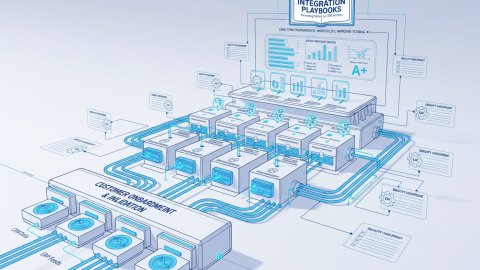
Once upon a time, in a land of swiftly moving software components, lived a company transitioning to a CTO-as-a-Service model. Their quest: seamless checkout optimization with Bitrix24 workflow robotization deeply integrated across sales, support, and product teams. The initial state? A battlefield of manual reconciliation, silent failures, and missed opportunities.
This origin story began with a noble intention – to liberate teams from repetitive tasks via Bitrix24 workflow robotization. However, the rapid deployment of these robots, interconnecting various sales, support, and production components, created a tangled web of dependencies. Each robot interaction, especially within the customer checkout flow, became a potential point of failure that screamed out for robust testing.
Without a comprehensive plan for integration test automation, each seemingly small deployment step added to the overall IT automation debt, creating manual intervention bottlenecks as the organization scaled. The promise of automation was turning into a nightmare of debugging interconnected systems.

Integration Test Automation: A Threat Model Canvas
Our hero's journey required a structured approach to expose vulnerabilities and design a proactive test automation strategy. The threat model canvas became essential.
Identifying the Components
- Bitrix24 CRM: Holds customer data, order history, and manages sales workflows.
- Payment Gateway Webhooks: Processes payments and communicates transaction statuses.
- Internal Operations Panel Webhooks: Interface used by support for reconciliation, refunds, and order changes.
- Inventory Management System: Reflects product availability and triggers fulfillment processes.
Establishing Threat Actors
- Malicious User: Attempts to exploit vulnerabilities to gain unauthorized access or financial advantage.
- Internal System Error: Unexpected failures within any system can trigger ripple effects.
- Network Issues: Temporary disruptions impacting webhook delivery.
- Data Integrity Issues: Incorrect data propagating across integrated systems.
Threat Scenarios
- Payment Gateway Failure: Payment succeeds, but webhook fails to reach Bitrix24.
- Inventory Mismatch: Order placed with insufficient stock, leading to fulfillment issues.
- Double Charging: Webhook processed multiple times, resulting in duplicate payments.
- Fraudulent Orders: Exploiting checkout vulnerabilities to place orders without valid payment.
Assumptions: The Foundation of Integration Resilience
Assumptions, the bedrock upon which our systems are built, must be explicitly voiced and thoroughly tested. A well-documented set of assumptions enables faster troubleshooting and proactive issue resolution.
- Data Consistency: Data within Bitrix24, payment gateway, and inventory system remains synchronized.
- Webhook Reliability: Webhooks are delivered promptly and accurately.
- Idempotency: Webhook events are processed only once, regardless of multiple deliveries.
- Error Handling: Each system gracefully handles failures and provides informative error messages.
Abuse Paths: Mapping Checkout Vulnerabilities
Abuse paths represent the various ways a system's security and reliability can be compromised. Identifying these paths allows us to build targeted defenses.
Scenario 1: Payment Gateway Webhook Forgery
- Abuse Path: A malicious user crafts fake webhooks to simulate successful payments and fraudulently trigger order fulfillment.
- Control Weakness: Lack of robust authentication and authorization for incoming webhooks.
Scenario 2: Inventory Manipulation via API
- Abuse Path: Direct API calls to manipulate inventory levels without going through approved workflows.
- Control Weakness: Insufficient access control and auditing on inventory API endpoints.
Scenario 3: Race Condition in Checkout Processing
- Abuse Path: Multiple simultaneous requests to purchase the same item result in overselling and inventory discrepancies.
- Control Weakness: Lack of proper locking mechanisms and transactional integrity.
Mitigation Layers: Fortifying the Checkout Castle
Defense in depth is the principle driving creation for a multi-layered defense against potential exploits by threat actors.
Layer 1: Webhook Security
- Implementation: Employ HMAC (Hash-based Message Authentication Code) to verify the authenticity of incoming webhooks. Use a shared secret key between systems and enforce strict signature validation.
- Benefit: Prevents webhook forgery and ensures only legitimate payment gateway messages are processed.
Layer 2: Input Validation and Sanitization
- Implementation: Thoroughly validate and sanitize all data received from webhooks and API calls. Check for data type, format, and range constraints. Encode data to prevent injection attacks.
- Benefit: Protects against data integrity issues and prevents malicious code from being injected into the system.
Layer 3: Idempotency Control
- Implementation: Implement an idempotency key mechanism. Each webhook request includes a unique ID, which the receiving system tracks. If the same ID is received again, the request is ignored.
- Benefit: Prevents duplicate processing of webhook events, avoiding double charging or inventory errors.
Layer 4: Rate Limiting
- Implementation: Limit the number of requests from a single IP address or user within a specific time frame. Implement throttling mechanisms to prevent abusive usage.
- Benefit: Mitigates denial-of-service attacks and protects system resources.
Layer 5: Observability and Alerting
- Implementation: Implement comprehensive logging and monitoring across all integrated systems. Set up alerts for abnormal activity, error conditions, and performance degradation.
- Benefit: Provides real-time visibility into system health, enabling rapid detection and response to issues. Consider leveraging Enterprise App Observability.
Implementation Notes: Turning Theory into Reality
The magic happens in those implementation details: turning high-level architecture into resilient, automated processes.
1. HMAC Webhook Verification
When a payment gateway sends a webhook notification, it includes the payload and an HMAC signature. The receiving application uses the shared secret to recalculate the HMAC from the received payload and compares it with the received signature.
import hashlib
import hmac

def verify_webhook_signature(payload, signature, secret):
  expected_signature = hmac.new(
    secret.encode('utf-8'),
    msg=payload.encode('utf-8'),
    digestmod=hashlib.sha256
  ).hexdigest()
  return hmac.compare_digest(expected_signature, signature)

# Example usage
payload = request.body.decode('utf-8') # Raw webhook payload
signature = request.headers.get('X-Webhook-Signature') # Signature from the header
secret = 'YOUR_SHARED_SECRET'  # Your shared secret key

if verify_webhook_signature(payload, signature, secret):
  # Process the webhook
  print("Webhook signature is valid.")
else:
  # Reject the webhook
  print("Webhook signature is invalid.")
2. Idempotency Key Implementation
The payment gateway includes a unique idempotency key in each webhook request. The receiving system stores these keys alongside the processed data. If a webhook is received with a key that is already processed, the request is simply acknowledged without reprocessing.
import redis

redis_client = redis.StrictRedis(host='localhost', port=6379, db=0)

def process_webhook(payload, idempotency_key):
  if redis_client.get(idempotency_key):
    print("Webhook already processed.")
    return  # Acknowledge without reprocessing

  # Process the webhook data
  print(f"Processing webhook: {payload}")

  # Store the idempotency key
  redis_client.set(idempotency_key, 'processed', ex=3600)  # Expire after an hour

# Example usage
payload = request.json
idempotency_key = request.headers.get('Idempotency-Key')
process_webhook(payload, idempotency_key)
3. Bitrix24 Integration Testing
Automated integration tests simulate user actions and verify the correct interaction between Bitrix24 workflows and other connected systems.
# Example using a testing framework like pytest and a Bitrix24 API client
import pytest
from bitrix24 import Bitrix24

@pytest.fixture
def bx24():
    # Initialize Bitrix24 API client with your credentials
    bx24 = Bitrix24('YOUR_BITRIX24_WEBHOOK_URL')
    return bx24


def test_create_deal_from_webhook(bx24):
    # Simulate a webhook payload that should trigger deal creation
    webhook_data = {
        'event': 'payment_success',
        'customer_id': '123',
        'amount': 100,
        # ... other relevant data
    }

    # Trigger the relevant Bitrix24 workflow action (e.g., via API call)
    result = bx24.callMethod('crm.deal.add', \
                             fields={'TITLE': 'New Deal from Webhook', \
                                     'STAGE_ID': 'C1:NEW',  # Customize based on your pipeline
                                     'UF_CRM_1234567890': webhook_data['customer_id'] #custom field
                                    })

    # Assert that the deal was created successfully
    assert result['result'] > 0  # Check for a positive deal ID

    # (Optional) Clean up the created deal after the test
    bx24.callMethod('crm.deal.delete', id=result['result'])
Lessons Learned: Automation Anti-Patterns
- Ignoring Error Handling: Assuming perfect delivery. Implement robust retry mechanisms and dead-letter queues for failed messages.
- Neglecting Security: Failing to properly authenticate webhooks leading to spoofing attacks.
- Lack of Idempotency: Processing webhook events multiple times leading to data corruption.
- Insufficient Logging: Makes debugging hell. Log all relevant data for each webhook request and response.
- Manual Testing Only: Not scalable or reliable. Automate integration tests to catch issues early.
The Hero's Reward: Reduced Manual Reconciliation
Through a commitment to integration test automation, the team transformed their chaotic landscape into an organized and resilient ecosystem. Manual reconciliation became a distant memory, allowing sales, support, and product to collaborate more efficiently. This transition also aligns with a proactive Checkout Optimization Experiment Map.
Charting the Course: Integration Test Automation Checklist
- Identify Key Integrations: Map all inter-system dependencies.
- Threat Model Integrations: Identify potential vulnerabilities.
- Implement Webhook Security: Use HMAC and strict validation.
- Enforce Idempotency: Prevent duplicate processing of events.
- Automate Integration Tests: Validate system interactions.
- Implement Observability: Monitor system health and performance.
- Define Error Handling: Handle failures gracefully and transparently.
Next Steps: Towards Fully Automated Integration Resilience
The journey to integration test automation is not a destination, but a continuous process of improvement. By embracing these practices, businesses can build robust systems that deliver value now and scale for the future.
Ready to architect a resilient system that anticipates the unexpected? Our services can help you build robust integrations that unlock the full potential of your business.
Related reads
Advanced Testing Scenarios in Bitrix24 Workflow Integration
Beyond the basics, consider these advanced testing scenarios to ensure your Bitrix24 workflow robotization is truly robust:
1. Testing Asynchronous Operations
Many Bitrix24 workflows involve asynchronous tasks (e.g., sending emails, updating external systems). Testing these requires special attention.
Implementation Steps:
- Mock External Services: Use mocking libraries to simulate the behavior of external systems (e.g., email servers, payment gateways) without actually interacting with them.
- Introduce Delays: Simulate network delays or service unavailability to test the workflow's resilience to timeouts and errors.
- Verify Asynchronous Results: Use asynchronous testing patterns (e.g., waiting for a specific event to occur within a timeout) to verify that the workflow eventually completes its asynchronous tasks.
import pytest
import asyncio
from unittest.mock import AsyncMock
from bitrix24 import Bitrix24 # Assuming you have a Bitrix24 client


@pytest.mark.asyncio
async def test_async_workflow_with_timeout(bx24):
    # Mock the external service call
    bx24.callMethod = AsyncMock(return_value={'result': True})

    # Trigger the workflow that involves an async call
    workflow_result = await trigger_bitrix_workflow(bx24, 'some_event')

    # Assert that the workflow initiated correctly
    assert workflow_result == 'Workflow Initiated'

    # Introduce a delay to simulate async processing
    await asyncio.sleep(2)  # Simulate 2 seconds of async processing

    # Verify that the external service was called (mock assertion)
    bx24.callMethod.assert_called_once()

    # Verify the final state of the system (e.g., a record was updated)
    assert await check_final_system_state('record_id') == 'updated'

async def trigger_bitrix_workflow(bx24, event_name):
    # Simulate triggering a Bitrix24 workflow
    # and awaiting for async side-effects to settle
    # In reality, you'd interact with Bitrix API here
    return 'Workflow Initiated'

async def check_final_system_state(record_id):
    # Poll the final system state until some record gets updated or timeout
    return 'updated'
2. Data Transformation and Validation Testing
Workflows often involve transforming data between different formats or validating data against specific rules. Testing these transformations and validations is crucial.
Implementation Steps:
- Create Test Data: Generate a variety of test data, including valid, invalid, and edge-case values.
- Test Data Mapping: Create an automated test suite to verify the mapping of data between your source system, data transformation pipelines, and Bitrix24 fields.
- Validate Transformations: Write assertions to verify that data transformations are performed correctly.
- Test Validation Rules: Ensure that validation rules are enforced as expected, and that appropriate error messages are generated for invalid data.
import pytest

def transform_data(input_data):
    # Simplified example: converting string to int
    if isinstance(input_data, str) and input_data.isdigit():
        return int(input_data)
    else:
        raise ValueError("Invalid input data")


def validate_email(email):
  import re
  pattern = r"^[\w\.-]+@([\w-]+\.)+[\w-]{2,4}$"
  if re.match(pattern, email):
    return True
  else:
    return False


@pytest.mark.parametrize(
    "input_data, expected_output",
    [
        ("123", 123),
        pytest.param("abc", None, marks=pytest.mark.xfail(raises=ValueError)),
        pytest.param(123, None, marks=pytest.mark.xfail(raises=ValueError)),
    ],
)
def test_transform_data(input_data, expected_output):
    if expected_output is None:
        with pytest.raises(ValueError):
            transform_data(input_data)
    else:
        assert transform_data(input_data) == expected_output


@pytest.mark.parametrize(
    "email, expected",
    [
        ("[email protected]", True),
        ("invalid-email", False),
        ("[email protected]", True),
    ],
)

def test_validate_email(email, expected):
  assert validate_email(email) == expected
3. Testing Error Handling and Fallback Mechanisms
Your workflows should be able to gracefully handle errors and fallback to alternative solutions when things go wrong. Test these scenarios to ensure resilience.
Implementation Steps:
- Simulate Failures: Introduce artificial failures (e.g., network outages, service unavailability) to test the workflow's error handling capabilities.
- Verify Error Messages: Ensure that meaningful error messages are generated and logged when errors occur.
- Test Fallback Logic: Verify that the workflow correctly falls back to alternative solutions (e.g., using a backup payment gateway) when the primary option fails.
- Monitor Recovery: Implement monitoring to detect failures and track the recovery process.
import pytest
from unittest.mock import patch

def process_payment(payment_gateway, amount):
    try:
        payment_gateway.charge(amount)
        return "Payment successful"
    except Exception as e:
        print(f"Payment failed: {e}")
        # Fallback to backup gateway (simplified)
        try:
          backup_payment_gateway.charge(amount)
          return "Payment successful (backup)"
        except Exception as e2:
          return f"Payment failed (both), escalation."

backup_payment_gateway = type('FallbackPaymentGateway', (object,), {"charge": lambda self, amount: True})()


class MockPaymentGateway:
    def __init__(self, should_fail=False):
        self.should_fail = should_fail

    def charge(self, amount):
        if self.should_fail:
            raise Exception("Payment gateway failure")
        else:
            return True


@pytest.fixture
def mock_payment_gateway():
    return MockPaymentGateway()


def test_payment_success(mock_payment_gateway):
    result = process_payment(mock_payment_gateway, 100)
    assert result == "Payment successful"


def test_payment_failure_with_fallback():
    failing_gateway = MockPaymentGateway(should_fail=True)
    result = process_payment(failing_gateway, 100)
    assert "Payment successful (backup)" in result


def test_payment_failure_no_fallback():
  # Make the backup gateway fail inline, to test full escalation/failure
  backup_payment_gateway.charge = lambda self, amount: (_ for _ in ()).throw(Exception('Backup payment gateway failed')) # raise exception
  failing_gateway = MockPaymentGateway(should_fail=True)
  result = process_payment(failing_gateway, 100)
  assert "Payment failed (both)" in result
Continuous Integration and Continuous Delivery (CI/CD) Pipelines for Bitrix24
Integrate your Bitrix24 workflow robotization with a CI/CD pipeline to automate testing and deployment. This ensures that changes are thoroughly tested before they are released to production.
CI/CD Pipeline Steps:
- Code Repository: Store your Bitrix24 workflow configurations (e.g., workflow definitions, API integrations) in a version control system.
- Build Stage: Package your workflow configurations into a deployable artifact.
- Test Stage: Run automated integration tests against the deployed artifact in a staging environment.
- Deployment Stage: Deploy the artifact to the production environment.
- Monitoring Stage: Continuously monitor the health and performance of the deployed workflow in production.
Architectural Considerations for Scalability and Performance
As your Bitrix24 workflow robotization grows, it's important to consider scalability and performance. Here are some architectural considerations:
- Stateless Workflows: Design your workflows to be stateless whenever possible. This makes it easier to scale them horizontally.
- Asynchronous Processing: Use asynchronous processing to offload long-running tasks from the main workflow thread.
- Caching: Cache frequently accessed data to reduce the load on your backend systems.
- Database Optimization: Optimize your database queries and schema to improve performance.
- Load Balancing: Distribute traffic across multiple instances of your workflow engine to handle high loads.
Relevant offers
If this article matches your task, here are two offers you can use to move from insight to implementation without extra discovery.
Presale qualification workflow
I build a qualification workflow from first inquiry to structured estimate and follow-up.
Catalog SEO module rollout for 1C-Bitrix
Catalog SEO is governed centrally: metadata, schema.org, redirects, sitemap, IndexNow and a supportable post-launch architecture.